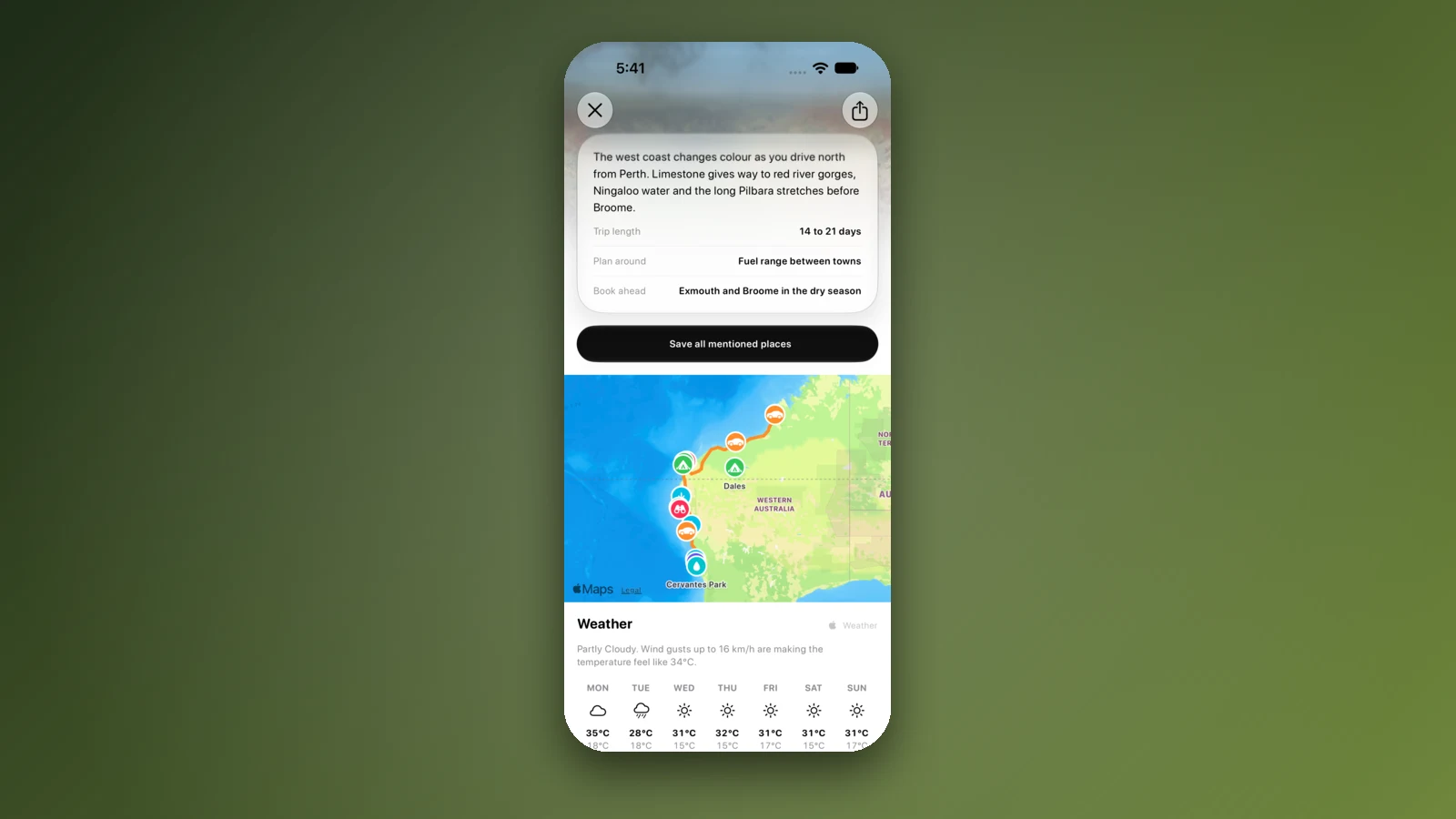
Looking for a WikiCamps trip planner alternative? AussieCamps plans a camping road trip from your front door to the last campground, showing the distance and drive time of every leg, a date and note on each stop, and the weather ahead. We make AussieCamps. It opens straight to the map, with no account to make and no ads, and here is how planning a trip in it works. To try a different planner, the AussieCamps app plans your trip from Home to any address, with the distance and drive time of every leg.
Why campers look for a WikiCamps trip planner alternative
Plenty of campers say WikiCamps' new version has made trip planning fiddly. If that sounds familiar, a planner that just gets out of your way is a nice change.
AussieCamps starts on the map the second it opens. Pick a campground, pop it in a trip, and carry on planning.
- Open the app, you're on the map
- Tap a place, add it to a trip
- No logins, no ads
Start at Home and finish at Home
Set your home address once in the You tab and every trip can use it. Tap Start at Home and the drive from your driveway to the first campground becomes the first leg, with its own distance and drive time. Tap Finish at Home and the trip ends back at your door.
That makes the total for a long weekend or a big lap honest from the start, not just the bit between campsites.
- Set your home address once
- Start at Home in one tap
- The whole drive in the total
Add any stop: a campground, a pin or an address
One Add stop search finds everything. Type a campground or rest area name, an address, your current location or one of your saved pins, and drop it into the trip.
Got a spot that is on no map at all, like a mate's farm or a favourite riverbank? Drop a pin on it and tap Add to trip. Every stop shows on the route with its distance and drive time.
- Places, pins and addresses in one search
- Turn a dropped pin into a stop
- Every stop on the route
Your trip planning jobs, task by task
Here is how the everyday planning jobs work in AussieCamps. Most take a tap or two.
| Planning job | In AussieCamps |
|---|---|
| Start from home | Start at Home, using the address saved in the You tab |
| Add stop | One search for places, pins, your location or any address |
| Add your own spot | Drop a pin and tap Add to trip |
| Change the order | Drag the stops and the route follows |
| Spot a long day | Distance and drive time on every leg |
| Keep booking details | An arrival date and a note on every stop |
| Get ready to go | Tick items off the trip's to-do list |
| Plan with your partner | Collaborate on the trip live, with no account |
- Drag stops to reorder
- A note on every stop
- A to-do list in every trip
Find stops that suit your rig with filters
The filters help you pick the right stops before you add them. Dogs allowed and 4WD access have their own Pets and access section, right after Cost. Under Cost, Free shows free rest areas and stops, and features like Toilets, Drinking Water, Showers, Caravan Sites and Tent Sites narrow it down.
Choose a few and a place has to match all of them, so Dogs allowed plus Caravan Sites plus Toilets shows only spots that take the dog, the van and you.
- Dogs allowed and 4WD access up top
- Free rest areas and stops
- Every filter you pick must match
On the road with your trip
Tick each stop off as you go, and check the weather for the stops ahead right in the trip.
Each place's fees, facilities and conditions are kept on your phone, along with your trip and notes, so you can still read them when the bars drop out.
- Tick stops off as you travel
- Weather for the stops ahead
- Details without signal
Plan it together and share it
Tap Share on the trip and choose Collaborate to plan it with your partner. Either of you can add a stop, shuffle the order or update a note, and the other phone catches up in seconds, no login needed.
For family back home, Send copy makes a link anyone can open in a web browser to see the trip. Share as image sends a picture of the route, stops and nights, and Sync to calendar puts the trip in your calendar.
- Collaborate live with your partner
- A browser link for family
- Sync to calendar
Why switchers plan their trips in AussieCamps
There is nothing to sign in to, so nothing logs you out at a campsite. There are no ads. Trips start and finish at home and take any address or pin, and you can plan with your partner live.
AussieCamps is also independent, not owned by a holiday park group, so free rest areas, national parks and paid parks all sit on the same map.
- No account, no logouts
- Home, addresses and pins in trips
- Independent, with free stops shown
Plan your next road trip in AussieCamps
AussieCamps is free to download, with in-app purchases. Set your home address, start a trip, and add the nights you have already booked, then fill in the rest of the route around them.
On the day, campground signs, fire bans and road closures always outrank the app.
- Free to download
- Booked nights first
- Signs and closures come first
Places along the way
Common questions
What is the best trip planner app for camping in Australia?+
For iPhone, AussieCamps plans a camping road trip from your front door: add campgrounds, rest areas, addresses or your own pins, and see the distance, drive time, date and weather for every stop. There is no account and no ads.
How do I plan a caravan trip on my phone?+
Start at Home, add the nights you have booked, then fill the gaps with stops that suit a van. Filter for Caravan Sites, check the drive time of each leg so no day runs too long, and put booking numbers in each stop's note.
Does AussieCamps show distance between stops?+
Yes. Every leg shows its distance and drive time, including the drive from home to your first stop when you start at Home, so you can see the whole trip at a glance.
Can I start a trip from home in AussieCamps?+
Yes. Set your home address once in the You tab, then tap Start at Home or Finish at Home on any trip. The drive from your door is part of the route.
Can I add an address or my own spot to a trip?+
Yes. Add stop searches places in the app, your saved pins, your current location and any address. You can also drop a pin on the map and tap Add to trip.
Take it on the road
Save the stops. Plan the whole trip.
Build an ordered route from saved places, calculate the distance and keep dates, notes and to-dos attached.